OmniProbe

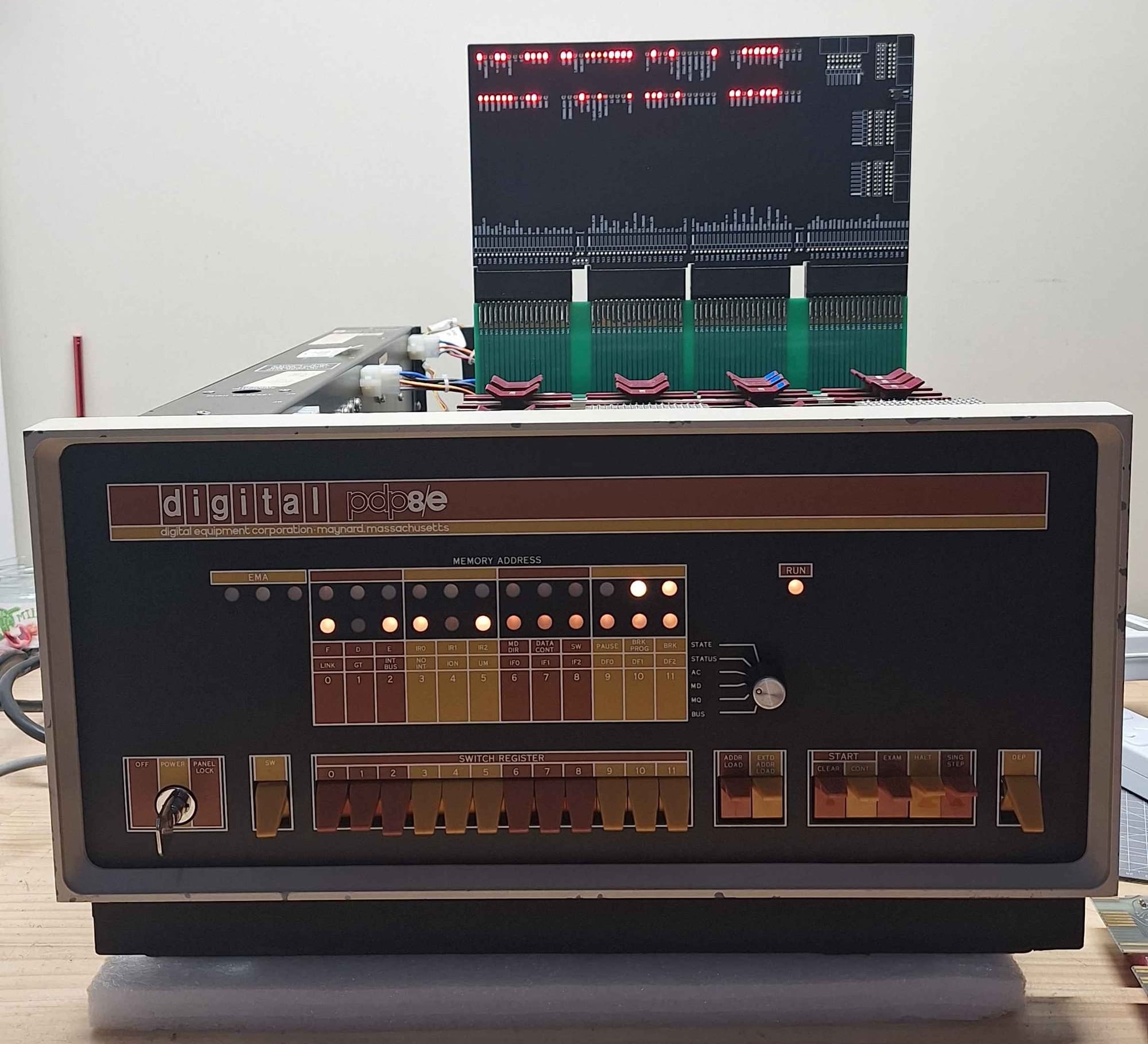
OmniProbe is a basic debugging tool for the PDP-8/e. Its main function is to provide a simple interface to connect up a logic analyser to the PDP-8e's bus. The OmniProbe also provides LEDs for each of the 96 signals that make up the Omnibus, allowing you to see the state of the bus in real time.
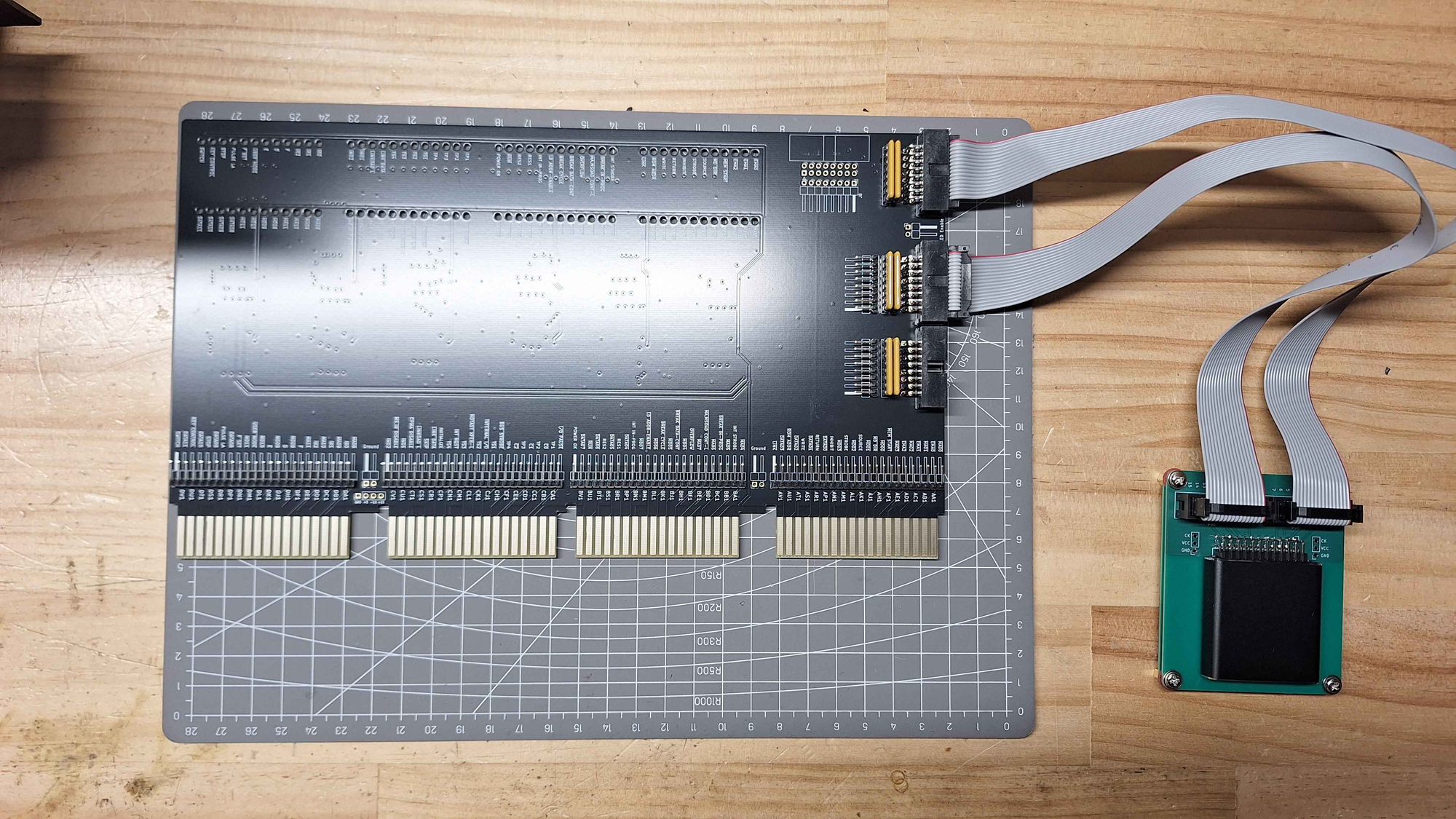
The OmniProbe provides up to 24 signals to the logic analyser, 8 of which have fixed assignments, and 16 of which can be assigned to any of the 96 signals on the Omnibus. Additionally, there is a connector along the top edge of the board that allows you to connect the logic analyser to the top edge of Omnibus cards.
Development
Having spent some time reading the PDP-8/e documentation, it became apparent that there really wasn't much built-in debugging capability in the system. As far as I could tell, no one had really spent a lot of time developing any tools either and so I set about making the OmniProbe.
The OmniProbe is more or less a direct copy of the UniProbe. With a few optimisations made with the PDP-8/e in mind.
Features
Bus LEDs - They provide a lot of basic information about the current status of the machine. They are particularly useful at providing side-by-side comparisons between working and non-working systems. One of the changes I've made compared with the UniBone is the use of reverse-mount LEDs.
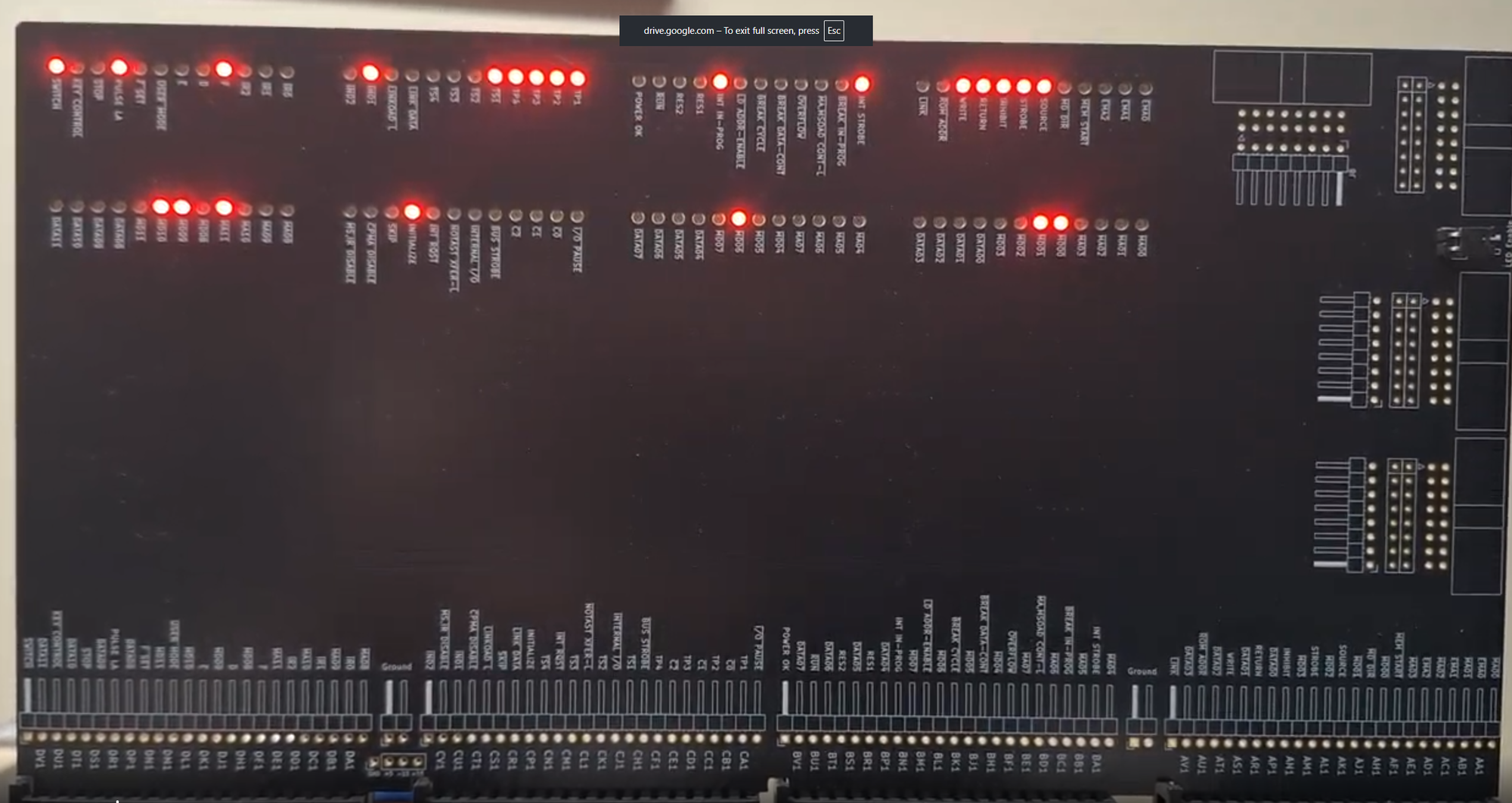
Reverse-mount LEDs were specifically used to provide an extremely easy way to see all signals and their labels clearly. The downside of this approach is that the card needs to be on a riser or placed towards the back of the system.
Logic Analyser Interface - This interface allows up to 24 signals to be routed from the PDP-8/e to a logic analyser. 8 signals are permanently routed to important timing signals while the other 16 can be connected to any OmniBus signal. Additionally, there is a connector provided along the top edge of the board; this allows for "test probes" to also be routed out to the logic analyser. This has proven extraordinarily useful for the connections used between cards in the PDP-8/e.
Usage
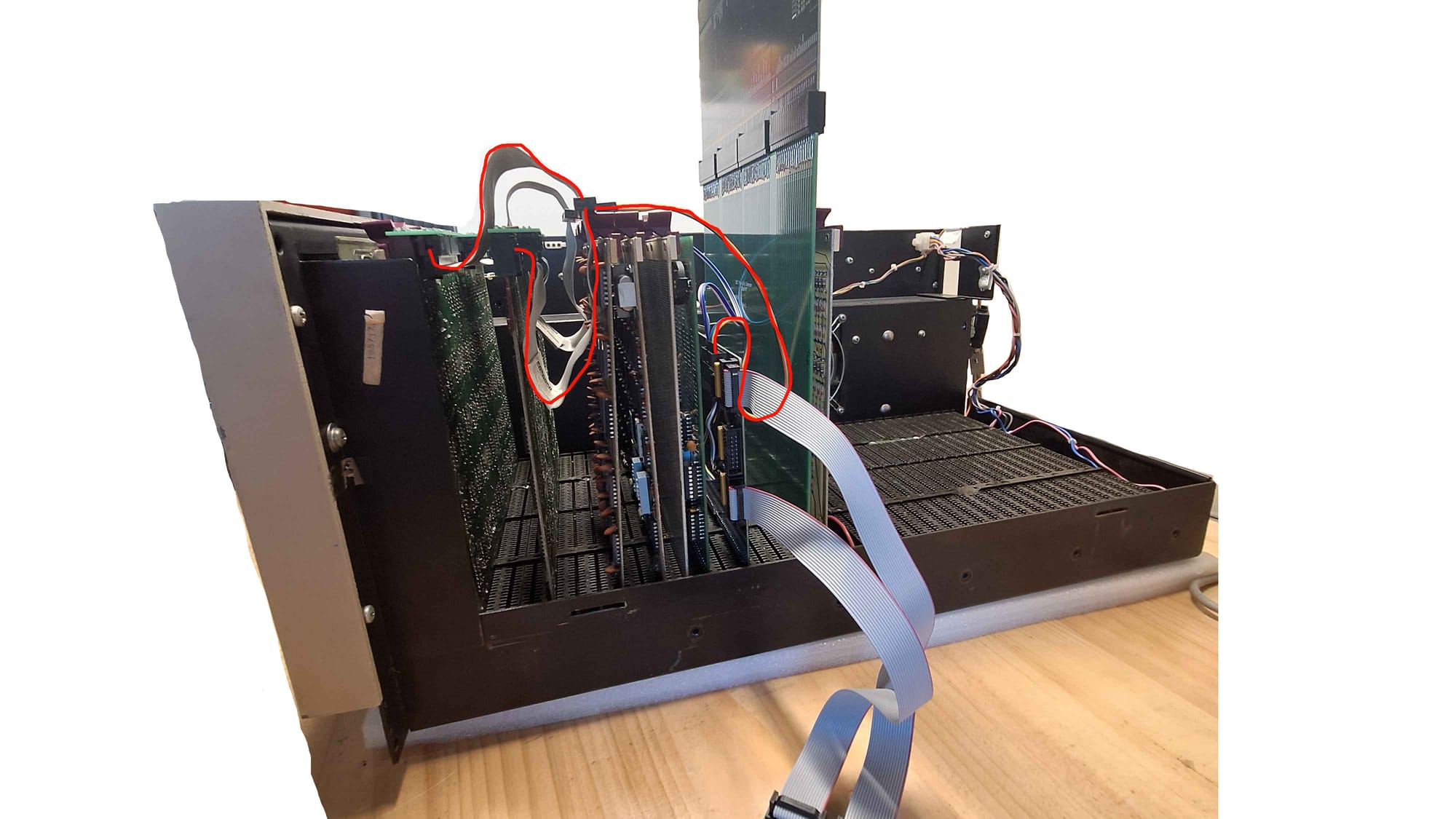
One of the best strategies I have found is to use some H851 extension cables and tap the signals off and send them to the OmniProbe. This keeps the cabling clean and essentially allows you to connect to any signal in the system.
Where do I get one?
 ashlin4010